


Evil Eyes Live Wallpapers
4.7210.00 Reviews
App Specs
- Version
- 5.35.1
- Updated On
- License
- Free
- Downloads
- 1,000,000+
- Developer
- DummTech
- Categories
- Personalization
- Platform
- Android
Screenshots
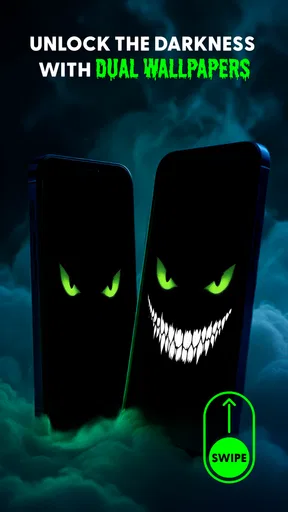
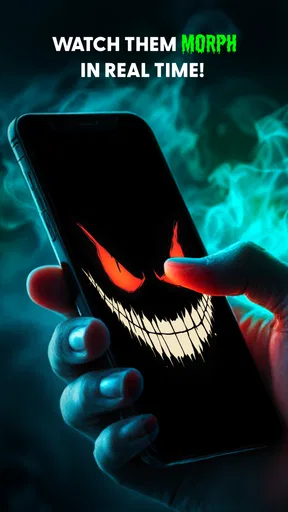
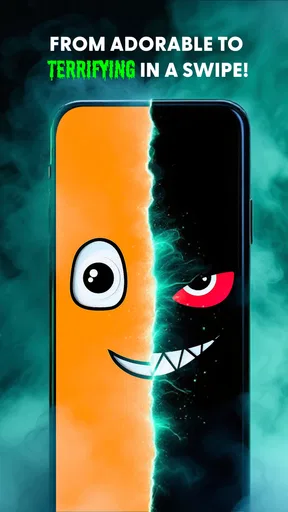
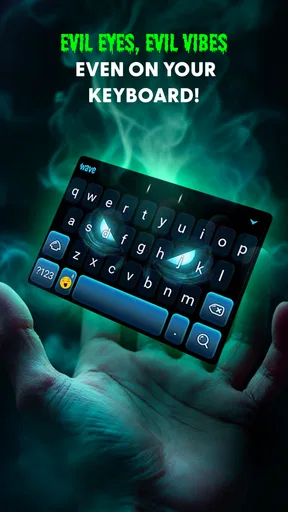
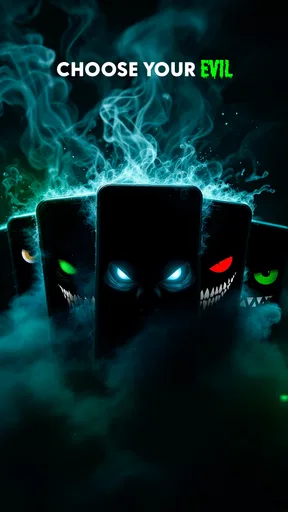
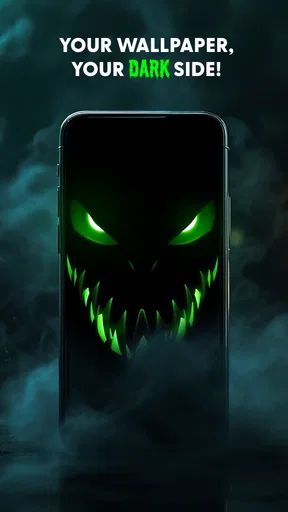
 Analysis by AppCompare
Ever found yourself stuck in a staring contest with your phone? Well, brace yourself because Evil Eyes Live Wallpapers is about to take it to a whole new level. I recently dove into this app, and let me tell you, it’s like having a little piece of mystique right on your home screen. Let’s break down what makes this app a must-have for anyone who loves a dash of the mysterious.
What to Expect from This Unusual Home-Screen Look
This is a personalization app built around animated eye imagery, so it makes a very different first impression from a pack of still backgrounds. Its appeal is immediate: the screen feels more expressive and a little uncanny when the animation is visible. I’d recommend it to someone who enjoys a dark, supernatural style, but not to anyone looking for a quiet landscape or a neutral background that disappears into the phone’s design.
It helps to think of a live wallpaper as part of the screen’s atmosphere rather than a feature you’ll actively use all day. The effect is most noticeable when you unlock your device or return to the home screen; it won’t change how you organize apps or make the phone easier to navigate. That distinction matters if you’re deciding between this and a static wallpaper collection. A still image is simpler and predictable, while this app is for people who want motion and a more theatrical mood.
Getting from Installation to a First Result
Once you’ve installed it, take a moment to look through the available designs instead of choosing the first image that catches your attention. With a visually bold wallpaper, small differences in contrast and movement can determine whether the screen feels striking or distracting. I’d start with a design that leaves enough visual breathing room around your icons, then preview it on your own home screen before settling on it.
The useful first success is not simply opening the app; it’s finding a version of the effect you still enjoy after seeing it alongside your everyday icons and widgets. If the eyes compete with your clock or make labels harder to pick out, try another design or a less intense look if the available choices allow it. A wallpaper can look dramatic on its own and still be awkward in daily use, so judge it in the context of your actual screen.
When you’re ready, follow the app’s on-screen wallpaper setup flow and check the result on the screen where you intend to use it. Android may present a choice about where a live wallpaper appears, depending on the device and system version. Read that prompt rather than tapping through automatically. That small check helps avoid the common surprise of changing a screen you meant to leave alone.
First Impressions
When I first stumbled upon Evil Eyes Live Wallpapers, I was intrigued by its promise of mesmerizing visuals. The app download was smooth and didn’t eat up much of my phone’s precious storage. Once installed, I was greeted by an easy-to-navigate interface. Honestly, even if you’re not tech-savvy, you’ll have no trouble finding your way around.
Worth Reading Before You Choose

EA SPORTS FC Mobile 26 Is a Bigger Football Game, but It Takes Time

Flipboard Shows What News Apps Must Do Beyond the Feed

Switching to Android Auto Means Rethinking Your Driving Routine

Google Calendar Makes a Crowded Week Easier to Manage

Ludo King Makes the Most of the Minutes Between Plans

Baby Panda World Brings Quick Play to Modern Phones, but Its Game Library Feels Busy
The app boasts a variety of live wallpapers centered around the iconic evil eye symbol, known for its protective and enigmatic allure. Whether you’re into the whole mystical vibe or just want something cool to jazz up your screen, there’s something for everyone.
Diving into the Features
One of the first things that caught my eye (pun intended) was how customizable everything is. The app offers several settings to tweak your wallpaper just the way you like it. You can adjust the speed of the animation, the intensity of the colors, and even how often the wallpaper changes. It’s pretty much like having a kaleidoscope at your fingertips.
Moreover, if you’re someone who gets bored easily, you’ll appreciate the variety of designs available. From subtle, almost meditative patterns to bold, striking visuals, the app keeps things fresh. It’s like having a new piece of art on your phone every day.
Making the Wallpaper Work in Everyday Use
I’d treat those settings as a way to make the visual effect fit your routine, not as a reason to keep tweaking it endlessly. For a quick glance between tasks, calmer movement may be easier to live with than a highly animated screen. If you mainly unlock your phone to check a message or the time, a strong animation can become visual noise; if you enjoy a dramatic look and spend time customizing your home screen, that same motion may be the point.
One practical approach is to make one adjustment at a time, then use the phone normally for a while before changing anything else. That makes it easier to tell whether a setting genuinely improves the experience. If the screen feels too busy, reduce the visual intensity or choose a subtler design rather than assuming the app itself is a poor fit. Conversely, if the effect feels too subdued, a bolder option may better suit a phone you use as a personal style statement.
A realistic use case is refreshing your phone before heading out for an evening with friends. You could choose a more vivid look for the home screen, keep your usual app layout, and let the wallpaper provide the change without reorganizing everything. At work or during a long reading session, you might prefer a less prominent design so the screen remains easy to scan. The best choice can depend on what you’re doing, not just which image looks most impressive in a preview.
Performance and Usability
Now, let’s talk about performance because nobody wants an app that drains their battery like a thirsty vampire. I’m happy to report that Evil Eyes Live Wallpapers is surprisingly light on resources. I didn’t notice any significant battery drain or sluggishness while using it, which is a huge plus for those of us who are always on the go.
The wallpapers run smoothly, and the animations are seamless. It’s clear that a lot of thought went into optimizing the app for a variety of devices. Whether you’re rocking the latest smartphone or something a bit older, the app performs like a charm.
Things to Check Before Making It Your Default
Live wallpapers involve a trade-off that static backgrounds don’t: movement can make a device feel more personal, but it may also draw attention whenever you return to the home screen. I’d pay special attention to legibility if you rely on a crowded layout, use several widgets, or keep important shortcuts near the center of the display. The wallpaper should frame those things, not make you work harder to find them.
Battery experience can also vary with the device, screen settings, and how often you use the phone. My impression was that it did not cause an obvious drain, but I wouldn’t assume every setup behaves identically. If you are already trying to stretch a charge through a long day, use the wallpaper for a normal routine and check whether it changes your own experience before deciding to keep it. Switching back to a static background is a sensible choice if conserving power matters more than animation.
Another point worth considering is how often you want your phone to change visually. A collection of fixed backgrounds offers certainty: once you pick an image, it stays as expected. The appeal here is more dynamic, and the changing or animated quality may suit someone who likes a screen with personality. If you prefer a consistent, understated interface, a still image will probably be the better everyday option.
Personal Experience
Alright, let’s get a bit personal. As someone who’s always looking for ways to make my phone feel like an extension of my personality, this app hit the mark. There’s something almost hypnotic about glancing at my screen and seeing those vivid, ever-changing patterns. It’s a small thing, but it adds a bit of magic to my day.
I’ve found that it’s also a great conversation starter. People often ask me where I got my wallpaper from, and it’s always fun to introduce them to the world of Evil Eyes Live Wallpapers. Sharing cool apps is kind of my thing, and this one definitely makes the list.
Who It Suits, and Who Should Look Elsewhere
The app is an easy recommendation for someone who likes eerie imagery, wants a more distinctive home screen, or enjoys changing the mood of a familiar device without changing its layout. It also makes sense for people who like to try visual styles and keep the one that feels right. DummTech is the developer, and the app is free, so trying it is a low-commitment way to see whether this particular aesthetic works for you.
I’d steer someone toward a different kind of personalization app if they want practical tools for arranging icons, matching a full set of widgets, or building a carefully coordinated theme. A live wallpaper focuses on the background and its visual effect; it is not a substitute for a full home-screen customization toolkit. I’d also skip it if animated, unsettling eyes would feel uncomfortable, or if you simply prefer a clean screen that stays visually still.
If you’re using an older or more modest phone, the sensible approach is to test one design and pay attention to how the device feels during ordinary use rather than relying on a general impression. The app is listed for Android 7.0 and later, which gives it a broad compatibility starting point, but actual smoothness and battery behavior can still differ between devices. Someone who needs absolute predictability may be happier with a static background even if the live effect works well.
How It Compares with Other Wallpaper Choices
Compared with the usual alternatives, the defining difference is its focused visual theme: it is not trying to be a general gallery of landscapes, abstract gradients, or photographic backgrounds. That focus is a strength if the evil-eye look is exactly what you want, because the screen can feel coherent rather than randomly decorated. It is a limitation if you want a broad range of unrelated styles or expect a wallpaper app to coordinate every part of your interface.
Static wallpaper apps are often the simpler choice for readability and consistency, while live backgrounds are better when motion is part of the appeal. A general personalization suite may offer more ways to alter the overall appearance of a phone, but can involve more choices and setup. I’d choose this one when I want the eyes themselves to be the main visual accent, and a different option when my priority is a complete theme or a calm background that never competes with text.
Useful Details Before You Settle on a Design
For a first-time user, it’s natural to wonder whether the wallpaper will appear on the lock screen, the home screen, or both. The answer can depend on the setup options shown by Android and the device, so check the choices presented during application rather than assuming every phone handles live wallpapers in the same way. If you only want to change one screen, confirm that selection before finishing.
You may also wonder whether the image will remain a good fit after the novelty wears off. I’d give a chosen design a regular day of use, including checking messages and opening apps as usual, before deciding. A dramatic preview can be exciting for a minute but tiring when repeated dozens of times. If that happens, try a calmer option or return to a static background; there is no need to force a look that no longer feels comfortable.
The app has a 4.7 average from around 60,000 ratings and more than a million installs, which suggests that many people have chosen to try it. I’d treat that as helpful context, not a promise that every user will enjoy the same design or performance. The content rating is Everyone, and its current version is 5.31.9. Those details make it easier to identify the app, but the real deciding factor is whether animated evil-eye art belongs on your own screen.
The Verdict
So, is Evil Eyes Live Wallpapers worth your time? Absolutely. Whether you’re a fan of the mystical, an art enthusiast, or just someone who wants a little more flair on their phone, this app delivers. It’s easy to use, doesn’t hog resources, and offers endless customization options.
If you’re ready to give your phone a touch of intrigue and style, I’d say go ahead and download Evil Eyes Live Wallpapers. It’s a small change with a big impact, and who knows? It might just become your new favorite app.
Pros
- Stunning high-resolution graphics.
- Wide variety of eye designs.
- Customizable animation speeds.
- Easy to set up and use.
- Low battery consumption.
Cons
- Limited free content options.
- Ads can be intrusive.
- No offline mode available.
- Occasional lag on older devices.
- Lacks interactive features.
FAQs for Evil Eyes Live Wallpapers
What features does Evil Eyes Live Wallpapers offer?
Evil Eyes Live Wallpapers provides a dynamic and visually engaging experience with a variety of animated evil eye designs. Users can customize the speed and intensity of animations, choose from different color schemes, and set wallpapers to change automatically. The app also supports battery-saving modes to optimize performance.
Is Evil Eyes Live Wallpapers compatible with my device?
Evil Eyes Live Wallpapers is compatible with most Android and iOS devices that support live wallpapers. Ensure your device has the latest operating system update for optimal performance. Check the app’s description on Google Play or the App Store to confirm compatibility with your specific device model.
Does the app affect battery life significantly?
The app includes battery-saving features to minimize its impact on your device’s battery life. While live wallpapers can use more power than static ones, adjustable settings allow users to control animation speed and intensity, helping to conserve battery. Users can also enable battery-saving mode for further efficiency.
Are there any in-app purchases or ads?
Evil Eyes Live Wallpapers is free to download, but it includes in-app purchases to unlock premium features and designs. The app also displays ads, which can be removed with a premium purchase. This helps support the developers while providing users with a richer experience.
How can I report issues or provide feedback about the app?
Users can report issues or submit feedback directly through the app by accessing the settings menu and selecting the 'Contact Support' option. Additionally, users can leave reviews and comments on the app’s page in the Google Play Store or Apple App Store. This feedback is valuable for future updates.


